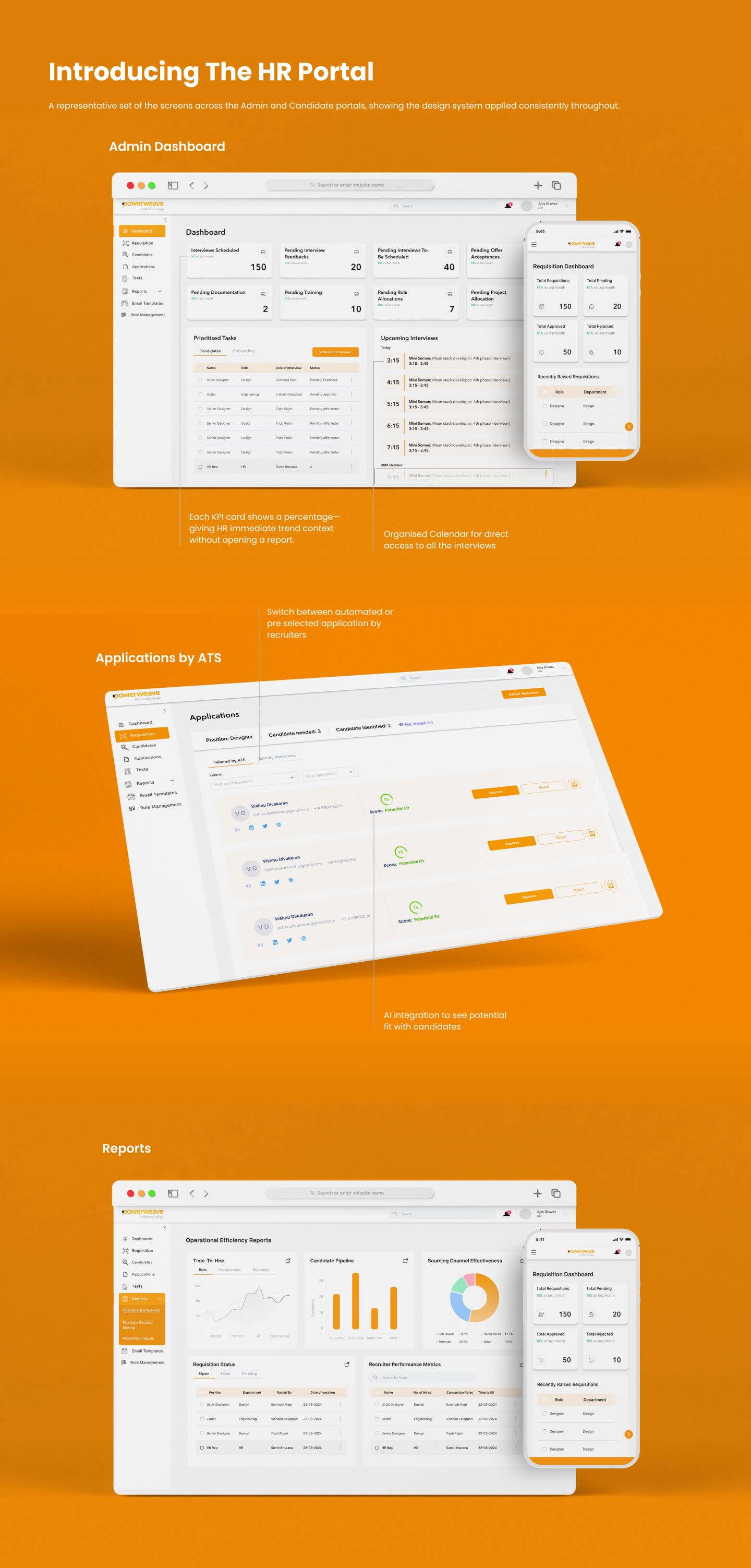
A full end-to-end redesign of Powerweave's internal hiring system — replacing a fragmented legacy process with a unified, AI-assisted applicant tracking platform built for Admins, HR, and Candidates.
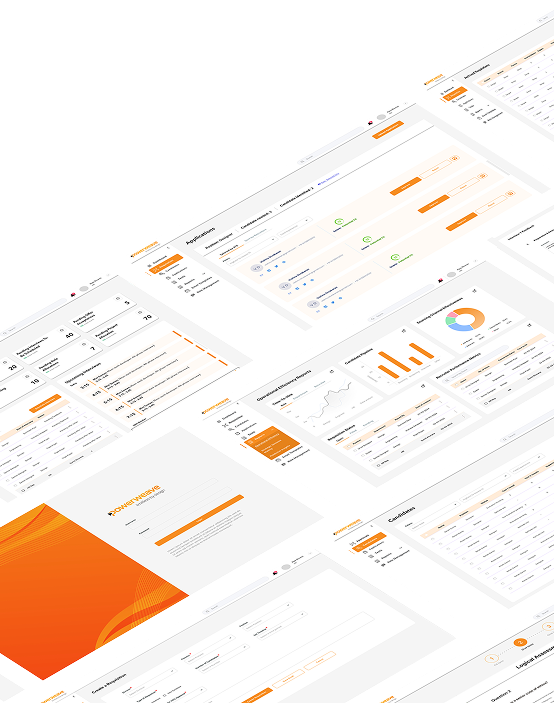
Context
Powerweave's existing hiring process relied on disconnected tools, manual CV screening, and siloed communication between HR, department heads, and candidates — creating friction at every stage of recruitment.
The Goal
Design a unified, multi-persona recruitment portal
Build a single platform that serves Admins, HR representatives, and Candidates — eliminating the need for spreadsheets, email chains, and disconnected tracking tools.
Pain Points
What was breaking the process
Scope of Work
End-to-end UX across three distinct user portals
Designed the complete Admin Portal, HR & Interviewer module, and Candidate-facing portal — from information architecture through to high-fidelity screens and a full design system.
Design Approach
Started with deep user interviews
Spoke with HR reps, department heads, and recent hires to map the existing process end-to-end before designing anything. Insight-first, then structure, then visual design.
Process
Phase 1
Core Hiring Flow
45–50 screens
Requisition module · Candidate management · CV upload · Test scheduling · Dashboard · Offer letters
Phase 2
Candidate Portal
17–20 screens
Candidate login · Form fill flow · Test-taking UI · Interview scheduling view
Phase 3
Interviewer Module
15–18 screens
Pending interviews dashboard · Feedback forms · Assessment criteria rating · Round assignment
Phase 4
Reports & Admin
7–12 screens
Hired/rejected reports · Position pipeline view · Closed requisition archive · Role management
System Design
Admin
HR Rep / Interviewer
Candidate
Feature Architecture
Requisition Module
Create, approve, and manage job postings with departmental sign-off workflows and role-level configuration.
Candidate Management
Centralised applicant database with AI-generated match scores, status tracking, and dual-tab application view.
Tests Module
Assign role-specific assessments to shortlisted candidates; results feed directly into the screening dashboard.
Interview Module
Scheduling, structured feedback forms, and interviewer assignment — all inside the platform.
Offer & Appointment Letters
Auto-generated letter templates with variable fields; digital sign-off eliminates manual PDF handling.
Reports Module
Pipeline health, time-to-hire, source attribution, and diversity metrics — exportable for stakeholder review.
The platform uses AI to score incoming CVs against role requirements, surfacing the most relevant candidates automatically. HR teams review ranked shortlists instead of raw CV stacks — saving hours per hire and reducing unconscious bias in early filtering.
Match Score & Label
Each applicant receives a percentage match score and a qualitative label (Strong Match, Partial Match, Not Recommended) calculated against the job's required skills and experience.
Dual-Tab Application View
HR reviewers can toggle between the candidate's original CV and a parsed, structured summary — making bulk review significantly faster without losing document fidelity.
Pending CV Approvals Widget
A dedicated dashboard widget surfaces unreviewed applications by requisition, preventing candidates from falling through the cracks during high-volume hiring periods.
Outcomes
Design Decisions Worth Noting
AI as a filter, not a gatekeeper
Scores surface candidates but never auto-reject. HR always retains final review — maintaining human accountability in hiring decisions.
Progressive disclosure by persona
Each portal shows only what that user needs. Admins see full pipeline data; candidates see only their own journey — reducing cognitive load across all roles.
Legacy process as design constraint
Existing workflows were preserved where possible to reduce retraining burden — the system meets users where they are, then gently improves from there.
Technology Context
Final Prototype
HR Portal — Live Prototype